
I had the honor to be invited by Dr. Michael Rauch from Schrödinger Inc. to work one of their online courses for learning how to use Materials Science (MS) Maestro. From their various options, I chose the Surface Chemistry course because it was an opportunity to brush on my knowledge about calculations on extended phases, which aren’t precisely my bread and butter. In addition to this course, they offer a range of courses in various topics in materials science and life science for both new and advanced molecular modelers.
Schrödinger Inc. is one of the biggest players in the development of commercial electronic structure calculations solutions, and MS Maestro is basically their flagship products, seamlessly integrating different tools and models within a graphical user interface. That on itself was the first sort of challenge, taking me out of my comfort zone of using a terminal for everything. It was a first for me to work with a GUI, which–although thorough–is pretty intuitive, once I went through the tutorials for the modeling of surfaces with periodic boundary conditions. This GUI allows one to automate the workflow between the various steps of a standard procedure, not only integrating the various program required but also allowing saving key steps for trying other paths. Within the GUI every program from Jaguar to Desmond can be summoned sequentially for a seamless integration of multi-scale calculations. Working from a GUI was a massively different experience for me, but the layout and description of each function made it easy to work out every exercise.
Aside from quantum chemical calculations, both ab initio or DFT-performed with Jaguar, QM/MM calculations are also available for studying larger systems, but what felt more impressive was the machine learning property prediction. Harnessing the power of AI, the MS Maestro Suite enables rapid and accurate estimation of molecular properties for virtual screening, drug discovery, and all sorts of accelerated discovery projects. Within drug discovery, AutoQSAR, and DeepAutoQSAR, consist of an automated workflow, which adheres to best practices as dictated by international organizations, that goes from descriptor generation, feature selection, and the use of statistical methods for the creation of models.
The GUI allows the user to create surfaces and slabs from any *.cif file, and the available calculations are not restrained to electronic structure for optical and electronic properties, but you can also calculate bulk mechanical properties such as elasticity, Young’s moduli, materials defects, or phase diagrams of real or hypothetical materials, which is really cool if you wanna talk to materials engineers.
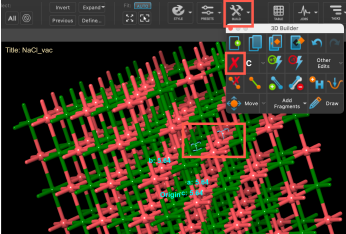
Now, one of the really impressive features included with the suite is the machine learning module, AutoQSAR, integrated into the workflow, which allows you integrate it with the QM calculations, MD simulations, or docking experiments.
The enumeration module was a game changer to me, because it allowed me to set a large and systematic set of molecules to be worked with, specially when working with their ML and QSA(P)R modules. This allows you to define a basic molecular skeleton on which several positions can be substituted with as many fragments as you want, these can be defined by the used whether drawn manually or chosen from a large library, the only drawback is you have to search them one by one within general categories, but so far there isn’t a way to search by name, CAS number or any other delimiter.
Thanks again to Dr. Michael Rauch for inviting me to play with Schrödinger Inc.’s MS Maestro suite.
 Dr. Joaquin Barroso's Blog