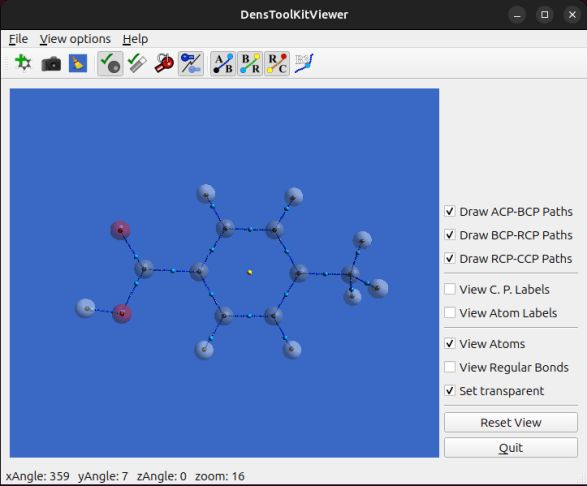
Preparing publication quality images from your calculations is essential. To pre-visualize images to get the best orientations of your molecule, DTK2.0 includes two options: a new GUI called DensToolKitViewer and DTKQDMol.
To install DensToolKitViewer, you need CMake and the QT-5 libraries all of which you can install in the following way (Ubuntu):
~$sudo apt install -y qtbase5-dev qt5-qmake cmake freeglut3-dev qtdeclarative5-dev
~$cd /path-to-denstoolkit/src/dtkview
~$mkdir build
~$cd build
~$cmake ..
~$make
~$sudo make install
You can then run it from the terminal with the DensToolKitViewer command.
Now, DTKViewer works great to for preparing the visualization angle of an image, prior to getting a publication quality figure, you can use xyz files as well as cpx files which is a native DTK format that comes from using the dtkfindcp command.
In this tutorial, we shall prepare a figure using DTKQDMol to select the viewing angle of the 4-Methylbenzoic acid molecule.
You now create a cpx file for the file 4-Methylbenzoic_acid.wfn file located at ~/denstoolkit/wffiles/ in the following way:
~$dtkfindcp 4-Methylbenzoic_acid.wfn -a -g -P -eThis command creates three files: 4-Methylbenzoic_acid.png, 4-Methylbenzoic_acid.log and 4-Methylbenzoic_acid.cpx, this last one is the one you can open with DTKViewer:
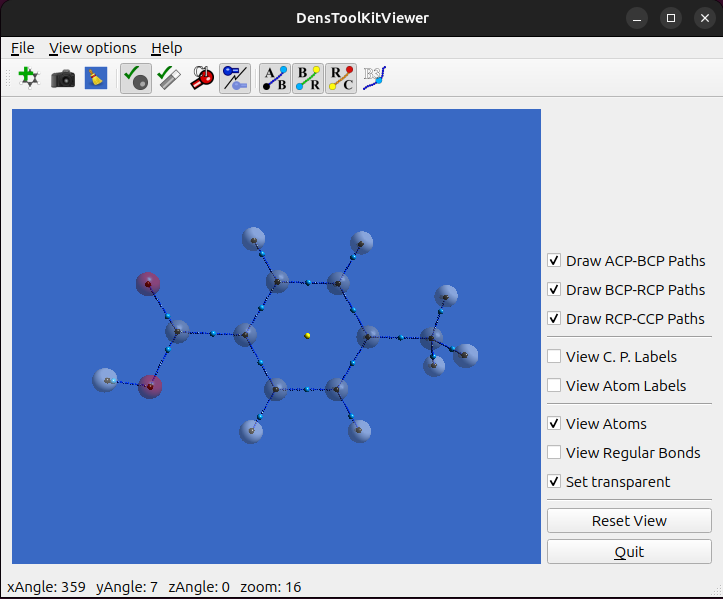
Once you reorient the molecule at your convenience, you can export the image in various formats from the File menu.
Preparing a figure using DTKQDMol (short for “DTK quick draw molecule“) to determine the rotation viewpoint.
We use the file 4-Methylbenzoic_acid.wfn which is located in the wffiles repo directory located at ~/denstoolkit/wffiles/. In addition, as a working excercise, we will compute the critical points of this molecule.
We start by calling the help menu of the dtkfindcp program:
~$ dtkfindcp -h
After checking the options, we run the command:
~$ dtkfindcp 4-Methylbenzoic_acid.wfn -a -P -k -r -e -g
For dtkfindcp, options -P -k are used to render the 4-Methylbenzoic_acidRhoCP.png image and to keep the pov file, which is the PoVRay script; -a draws the atoms as transparent spheres; -g draws the gradient paths as sets of small spheres; -r computes the ring and cage paths (if needed), and -e performs an extended search. The above command produces the following figure (4-Methylbenzoic_acidRhoCP.png):
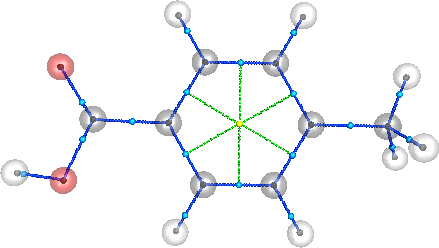
In this case, the figure might be just what you need for your work (thesis, report, paper, etc.) However, let us suppose that for some random aesthetic reason you need to rotate the image. A very simple method is to open the image using the program dtkqdmol (short for quick draw molecule):
~$ dtkqdmol 4-Methylbenzoic_acid.wfn -r -t qt
This program produces the gnuplot script 4-Methylbenzoic_acidQDMol.gnp. Option -r calls gnuplot to render the script, and option -t qt tells gnuplot to use the Qt terminal (if you do not have this terminal available to gnuplot, try with ‘-t wxt‘, ‘-t x11‘, or ignoring this option). The command will pop-up the following screen:
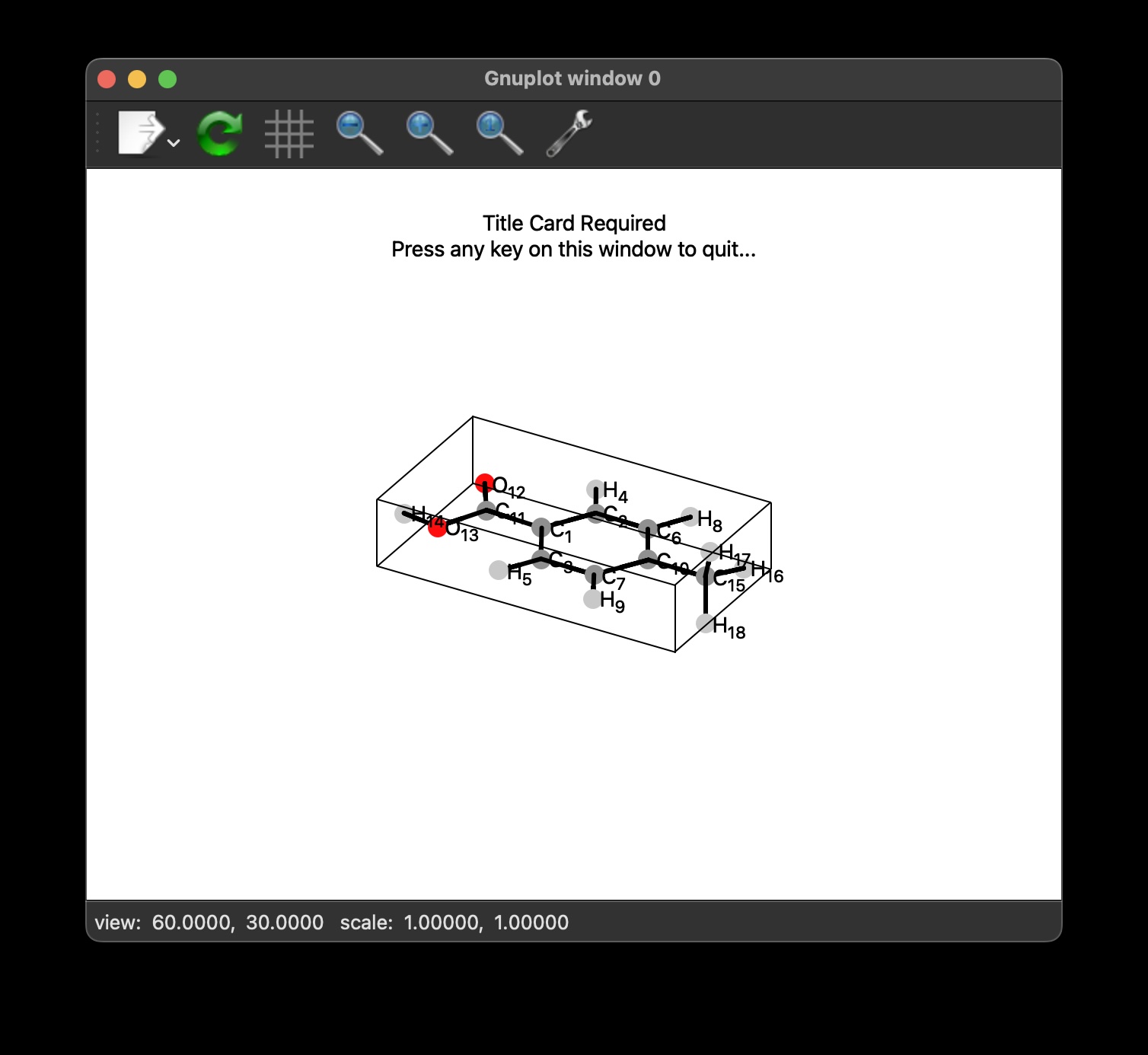
As you notice, the string ‘view: 60.0000, 30.0000 …’ appears in the window’s status bar. These angles can be used if you like the view. However, let us play a bit more. Using the mouse, rotate the figure until you like the viewpoint. As an example let us assume that we need the figure to be presented as follows:
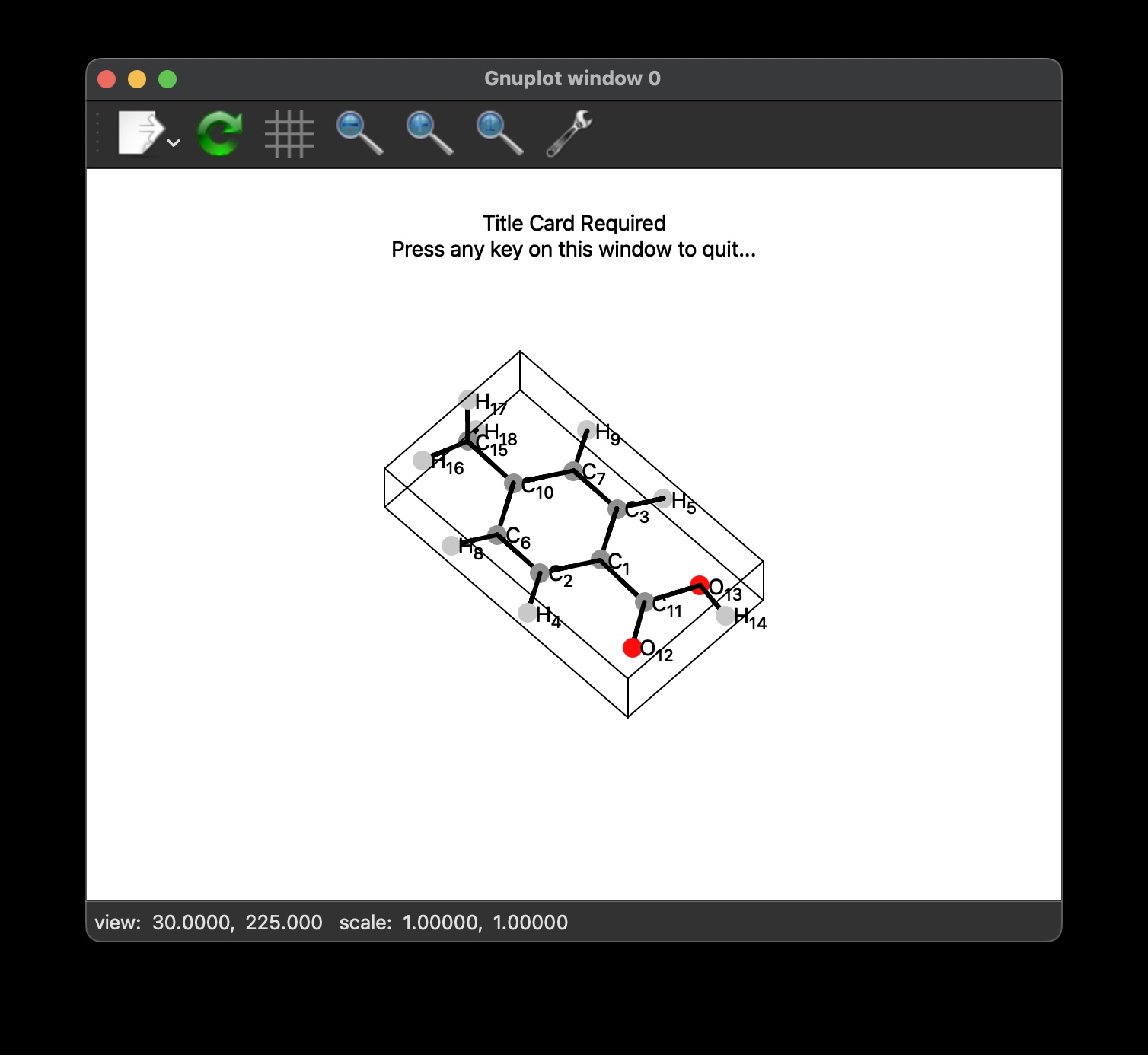
Recall that we are using dtkqdmol only to select the viewpoint. You can close the screen. Now, we open the 4-Methylbenzoic_acidRhoCP.pov file, using your favorite text editor. Replace the lines:
#declare GNUPlotAngle1=0;
#declare GNUPlotAngle2=0;
by:
#declare GNUPlotAngle1=30;
#declare GNUPlotAngle2=225;
Then, update the image using the script dtkpov2png:
~$ dtkpov2png 4-Methylbenzoic_acidRhoCP.pov
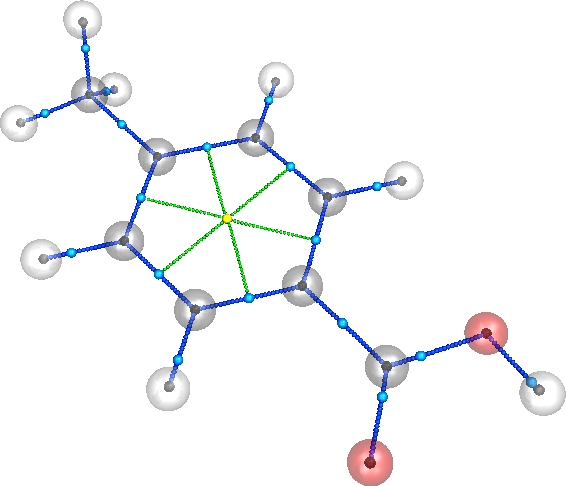
Notice that the original image (4-Methylbenzoic_acidRhoCP.png) is overwritten. Furthermore, you can increase the resolution of the image in case you need a sharper version. We recommend to use multiples of 1200:
~$ dtkpov2png -w 2400 4-Methylbenzoic_acidRhoCP.pov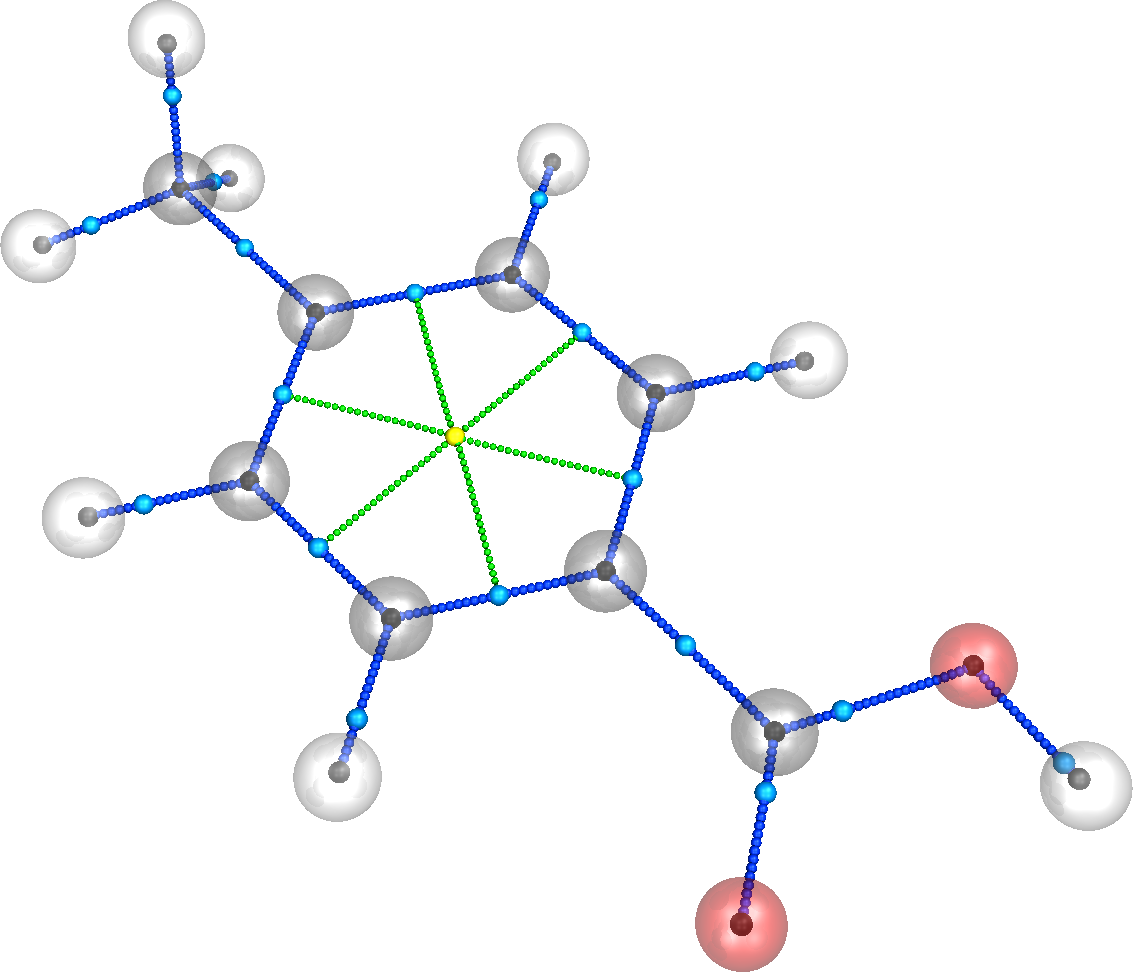
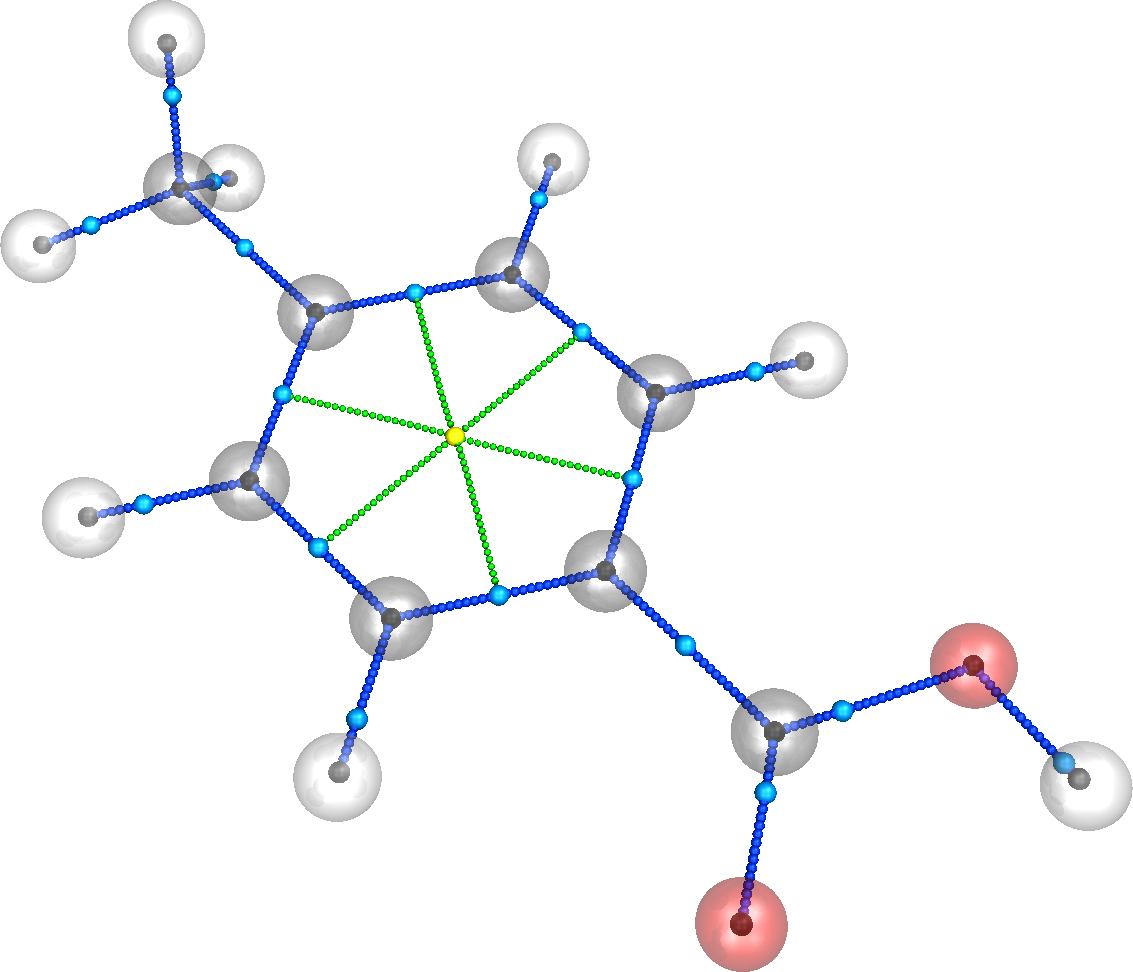
Last but not least, in case you need the image in other formats, we recommend using GraphicsMagick. For instance, to convert the png image to jpg format, use:
~$ gm convert -flatten 4-Methylbenzoic_acidRhoCP.png Methylbenzoic_acidRhoCP.jpgThe above command produces the figure:
Thanks to my good friend Dr. Juan Manuel Solano-Altamirano for drafting these tutorials, we hope you find them useful; if you did, please share these tutorials, and don’t forget to cite as:
Solano-Altamirano, J. M., Hernández-Pérez, J. M., Sandoval-Lira, J., & Barroso-Flores, J. (2024). DensToolKit2: A comprehensive open-source package for analyzing the electron density and its derivative scalar and vector fields. The Journal of Chemical Physics, 161(23). https://doi.org/10.1063/5.0239835
 Dr. Joaquin Barroso's Blog